
Connect your SaaS tools to AI
D6E integrates with popular SaaS services, enabling AI agents to read, write, and automate your tools using natural language.
How SaaS integration works
Connect your account
Connect your SaaS account from D6E's workspace settings in just a few clicks.
Tell the AI what you need
Describe your task in natural language. The AI agent understands which service to use and what actions to take.
AI automates the rest
The AI reads, writes, and manages your SaaS tools automatically.
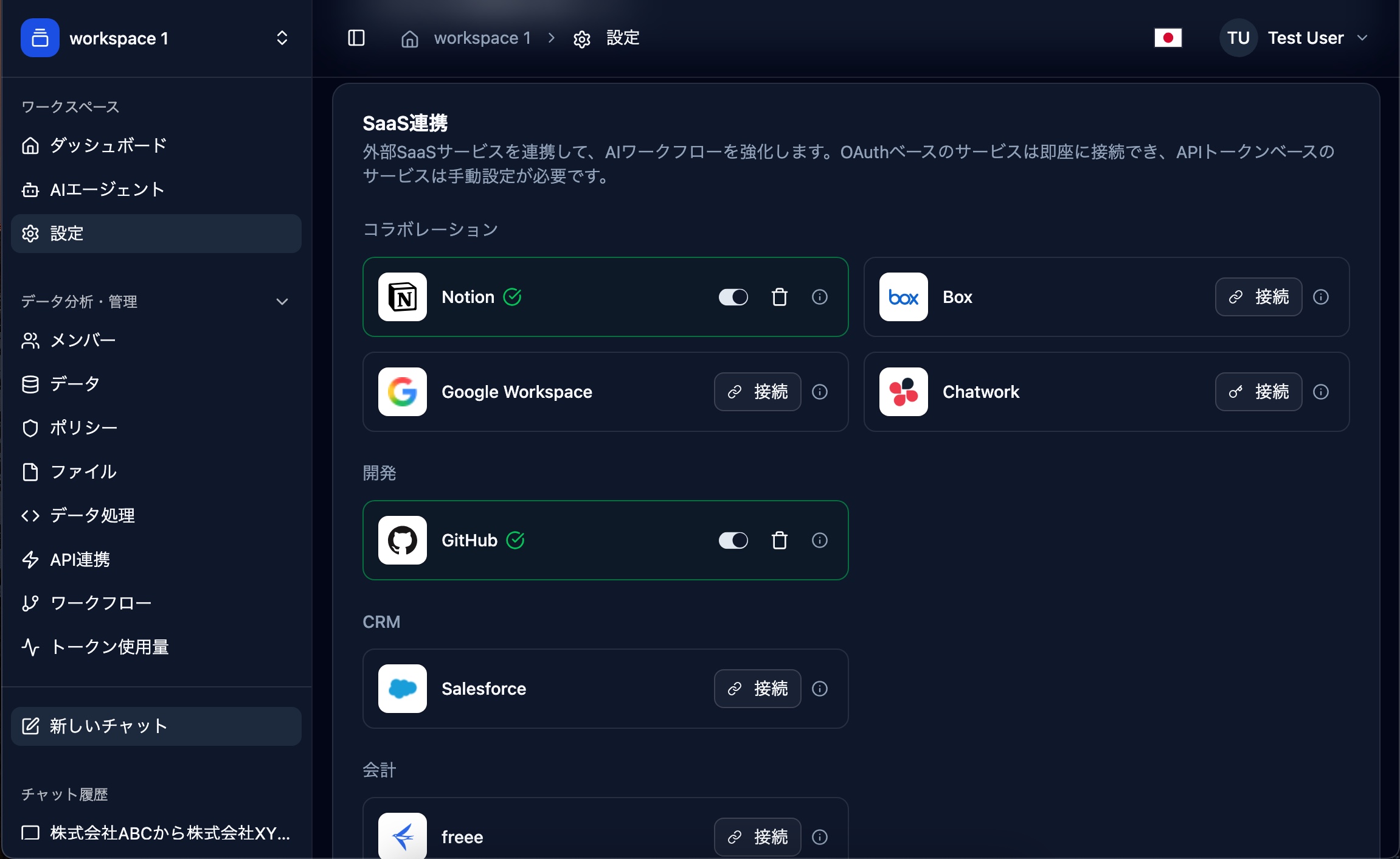
Supported Services

Notion
OAuthWorkspace collaboration, docs, and databases

GitHub
OAuthSource code, issues, and pull requests
Salesforce
OAuthCRM, leads, opportunities, and accounts

Box
OAuthCloud content management and file sharing
freee
OAuthAccounting, HR, invoicing, and time tracking
MoneyForward クラウド
OAuthCloud accounting, invoicing, journals, and trial balance
MoneyForward クラウド経費
OAuthCloud expense reporting and applications
Google Workspace
OAuthGmail, Drive, Sheets, and Calendar
Chatwork
API TokenBusiness chat, task management, and file sharing

Zendesk
API TokenCustomer support tickets and knowledge base
Security & Privacy
All SaaS connections use OAuth or encrypted API tokens. D6E only accesses data necessary to fulfill your requests and never stores credentials in plain text.